
What to Record in a Home Blood Pressure Log
A useful log is one you can understand later. Whether you use a notebook, a spreadsheet or a health app, keep a consistent set of fields and record the result as shown.
The fields to keep
- Person: whose measurement it is.
- Date and time: when it was taken.
- SYS and DIA: both pressure numbers, in mmHg.
- Pulse: if the device displays it.
- Notes: symptoms, an error message, or something unusual about the measurement.
Ask your care team whether they also want the arm used, medication timing or other details. The American Heart Association explains why a record over time is more useful than one isolated reading.
A blank entry you can copy
Name: __________
Date and time: __________
SYS: _____ mmHg DIA: _____ mmHg
Pulse: _____ beats/min
Notes: __________
If your plan includes two readings in a session, give each its own entry. Keep the original results available even if you also calculate an average. A blank is clearer than an invented value for a measurement you missed.
When two people share a monitor
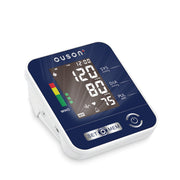
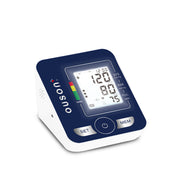
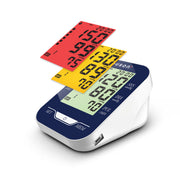
Keep each person's record separate. OUSON Home Pro, Travel Lite and Senior Elite have two user-memory groups. Check which group is selected before measuring, and label the matching notebook or digital record with the person's name.
If you enter or scan a reading into an app, compare the saved numbers with the monitor display before relying on that entry. Pay particular attention to SYS versus DIA, the date and the intended account.
Prepare for your appointment
Bring the complete period your clinician requested. Add a short list of questions: “Is my cuff fit correct?”, “What schedule should I follow?” and “Which readings or symptoms mean I should seek help?” Note the monitor model so the team can discuss your setup.
A log is a communication tool. It does not diagnose a condition or determine medication changes. If you feel seriously unwell, seek care rather than waiting to finish a monitoring diary.
Prepared by OUSON. General information for adults; follow your device manual and your healthcare professional’s advice.
Sources
- American Heart Association: keeping a blood pressure journal
- OUSON Home Pro user-memory specification
- OUSON Travel Lite user-memory specification
- OUSON Senior Elite user-memory specification
Useful OUSON links
Continue with these OUSON guides
More OUSON health articles · Product user guides · Shop OUSON devices